
Sheetworks Studio!
The First-of-Its-Kind Paper Bead Making Software
Built for makers who value simplicity, creativity, and speed.
Really folks—this doesn’t exist anywhere else. If you’ve ever wished for a faster, easier, frustration‑free way to design and print bead sheets and paper bead templates, Sheetworks Studio is the tool you’ve been waiting for. Nothing else like it exists.
Sheetworks Studio is a downloadable Windows app designed for paper bead makers who want precision, flexibility, and ease.
10 Years in the Making! Over 9 months of hands‑on coding. A decade-old idea finally brought to life—thanks to the unexpected free time that came with a broken ankle!
The Base App
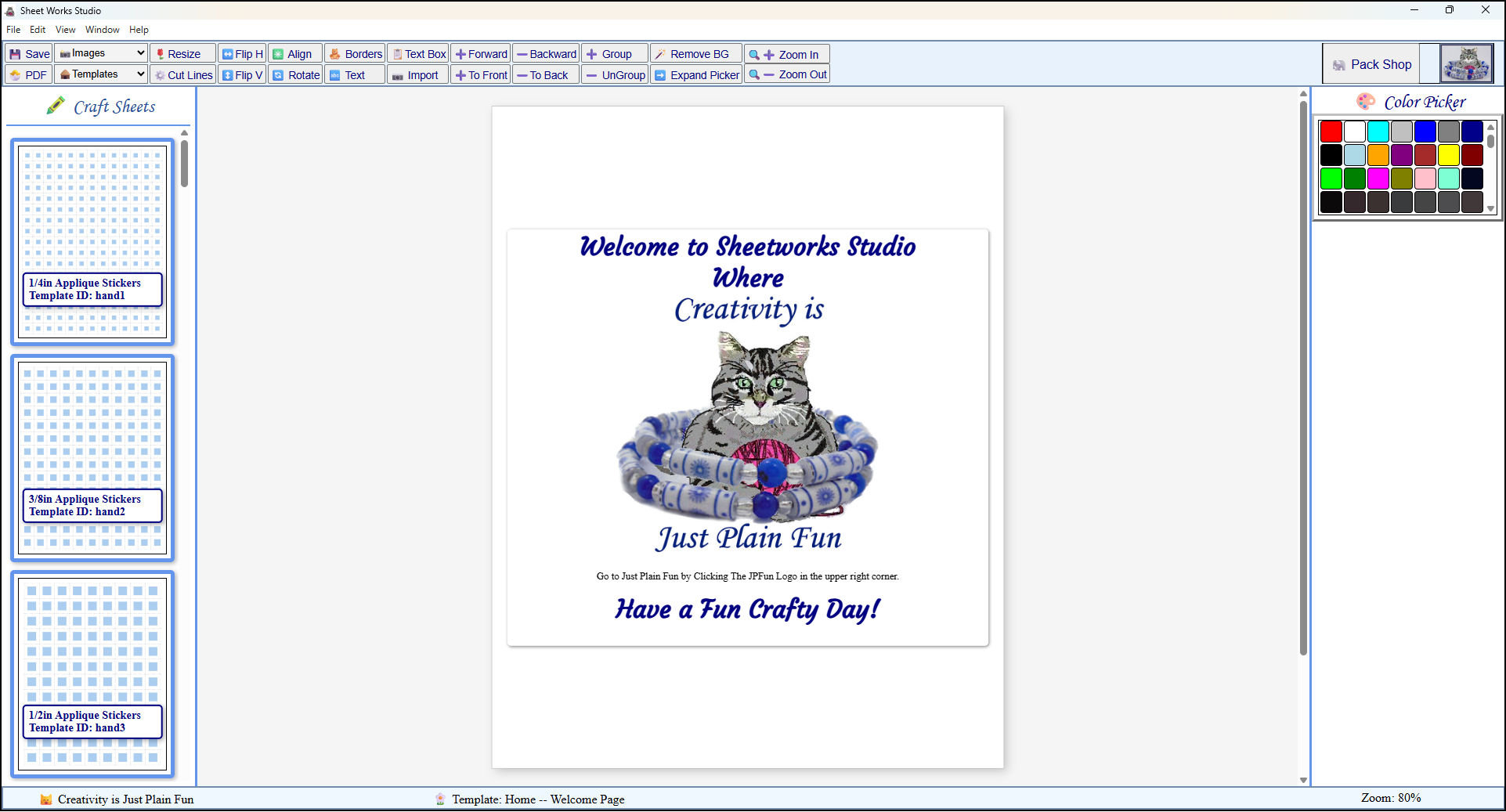 This is what the app looks like upon loading after the splash screen goes away. View Larger
Template/Image Picker Extended
 This is what the app looks like with the template/image Picker extended. View Larger
1/2" to 1/8" x 11" Strip sheet
 This is what a typical strip sheet, aka paper bead template looks like before decorating. View Larger
Decorating Strip sheet
 This is what a typical strip sheet, aka paper bead template can look like while decorating. View Larger
 The app has box templates and this is one before decorating.
 Paper Box Template
 This box template is the same one as above but while it is being decorated. View Larger
 This is a sheet of 1/2in square stickers or waterslide appliques.
 -
What It Does:
- - 🧰 Load and preview hundreds of ready made templates for you to edit and customize.
- - ✂️ Edit paper bead related templates with zoom for detailed work.
- - 📂 Create freely without worry about measurements, math, or alignment.
- Why Paper Bead Makers Struggle:
- - Most design software can make strip sheets, but it’s slow, tedious, and not built for bead making.
- - Many online templates are misaligned or incorrectly sized for US Letter paper.
- - Pretty designs often roll into unpredictable shapes because the strip geometry isn’t bead‑friendly.
- - A lot of templates waste paper by leaving unused gaps or inefficient layouts
- - Scrapbook paper patterns rarely line up in a way that produces consistent color or pattern placement across strips
-
Why It’s Different:
- - Created by a craftsperson with 50+ years of crafting experience.
- - Built by one person, not a team of developers
- - Developed by someone who has been making paper beads since 1996.
- - Designed to be simple, intuitive, and creativity‑focused.
- - Under 500 MB, fully self‑contained, and works offline.
- - Includes a generous library of images you can use in your projects—commercial use allowed for anything you create.
- - You’re free to sell anything you make with the app (just don’t sell the images, expansion packs, or the app itself).
That extra time let me refine the tools, polish the experience, and make sure every template feels purposeful and fun to use.
The result is a cleaner, more versatile studio designed to support your craft journey and bring fresh creativity to your fingertips.
- Included Templates: Over 400+ pre-designed bead sheets, strip sheets, office files, and craft sheets ready to customize.
- Available Templates: Over 1,300+ additional templates created and designed with as much care and thougthful design as the included templates.
- Included Images: Includes all images from the online Digital Paper Designer—and more. Use them freely in your creations (just don’t sell the images themselves).
- Save to PDF: You can’t print directly from the app, but you can save your work as a PDF and print it anytime.
Features
About the App's Creator
Hi, I’m Julie — and Sheetworks Studio is something I’ve been quietly building for a long time.
I’ve been making paper beads since 1996 and was the first person to offer inch‑based bead templates online. I’ve designed more than 950 crochet patterns and have kept a website running since January 1997, starting with my first site at somtel.com/~jbolduc before registering jpfun.com in 1999. I’ve been crafting since 1971, at the age of 5, and writing code since 1983, becoming a serious web developer in 1997.
My coding life started with BASIC in 1983, and by 1997 I was writing the Perl/CGI, JavaScript, HTML, CSS, and PHP that powered my site. This app is the result of combining the two things I’ve done for decades: crafting and coding.
All items in our online shop ship free within the US only. I currently offer U.S. shipping only and it is from rural Maine. Delivery can vary from 2–14 days depending on your distance from Maine. Expedited shipping is not available.
Please note: I am now selling all of my paper bead making tools and other items from this web site using Paypal payments.
I have removed all of my paper bead making tools from Amazon. My Kindle crochet pattern books and paper template paperback books continue to be available on Amazon, as they are printed and fulfilled directly by Amazon. If you would like to shop my Etsy Store, follow the link in the header above.