
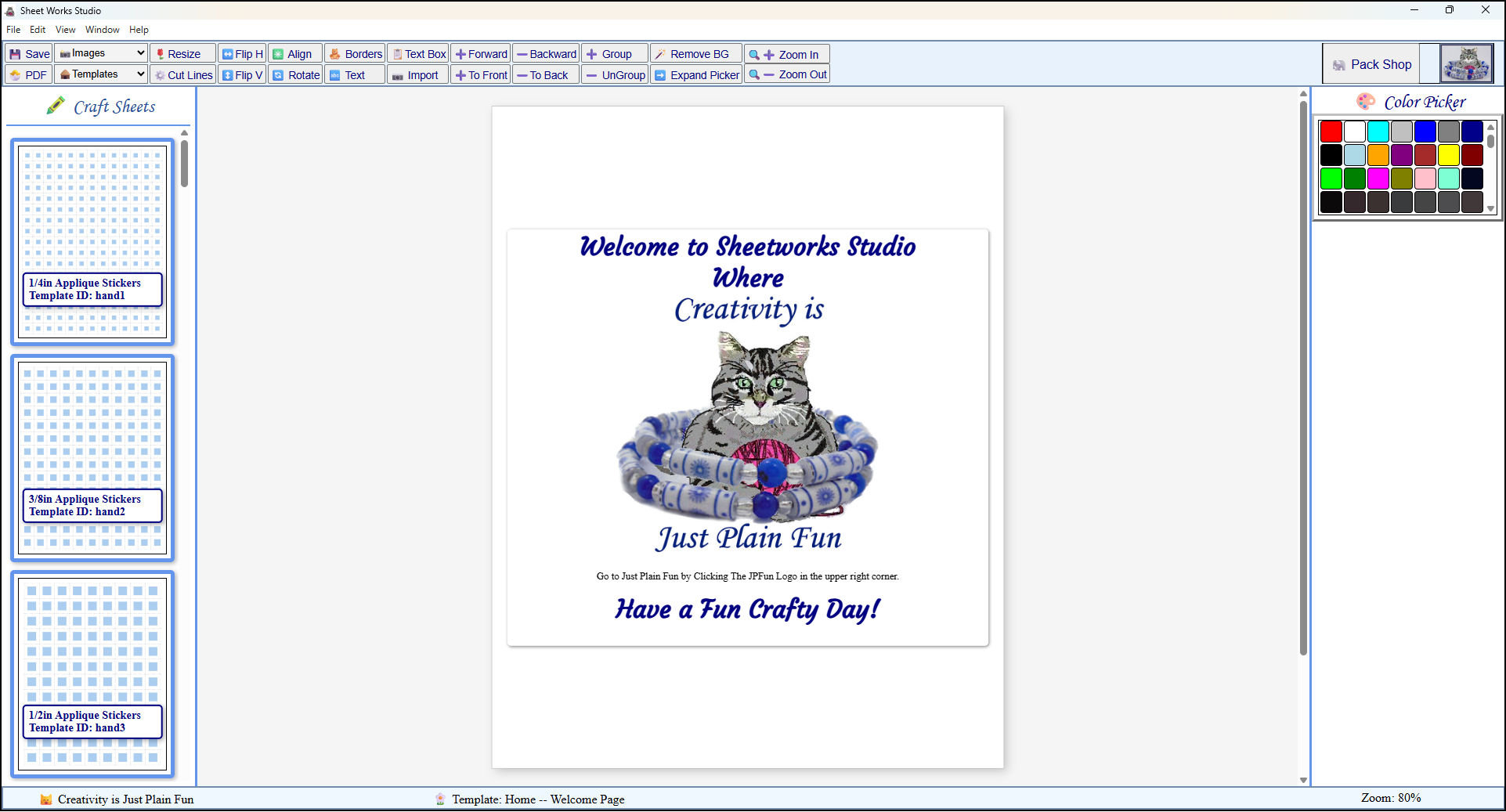
 This is what the app looks like upon loading after the splash screen goes away.
 Sheetworks Studio
Sheetworks Studio has been removed while it can be updated for a better user experience.
The First-of-Its-Kind Paper Bead Making Craft Software
Sheetworks Studio is a downloadable Windows, template‑based app for paper bead making and other craft projects. I used AI only during development for speed, and the app itself includes no AI features. Really, I only used AI when I was stuck and needed help.
I have decided to change how I manage Sheetworks Studio. In the future the software will have 2 modes. Free, and Paid.
Sheetworks Studio the free mode will have over 3500 unlocked templates, available to use as it has now, no import button, and every feature in it now will be the same and usable. You will be able to see all of the templates, but you will only be able to use the ones that are not locked. There will be more than 23,500+ templates in the app when it is released by January 1. Actual numbers of templates will be posted to the site upon the next release of the app.
The planned price for Version 4.0 will be $59.95. One time only forever.
There will no longer be templates on the web site that you will have to download and import into the app. Once the app is downloaded, you will have all of the templates included inside the app, and either locked or unlocked depending on Free or Paid Mode.
All items in our online shop ship free within the US only. I currently offer U.S. shipping only and it is from rural Maine. Delivery can vary from 2–14 days depending on your distance from Maine. Expedited shipping is not available.
Please note: I am now selling all of my paper bead making tools and other items from this web site using Paypal payments.
I have removed all of my paper bead making tools from Amazon. My Kindle crochet pattern books and paper template paperback books continue to be available on Amazon, as they are printed and fulfilled directly by Amazon. If you would like to shop my Etsy Store, follow the link in the header above.
Random Quick Tip!
Free Stuffing for Pincushions!Save all of your itty bitty scraps from your crochet, knitting, quilting and sewing projects to use as filler for pincushions! Use your rotary cutter and cutting mat to cut them up even smaller so they stuff the pincushions better.